
hrs
Timesheets for your agent. A CLI backed by SQLite that any AI agent can call to log work.
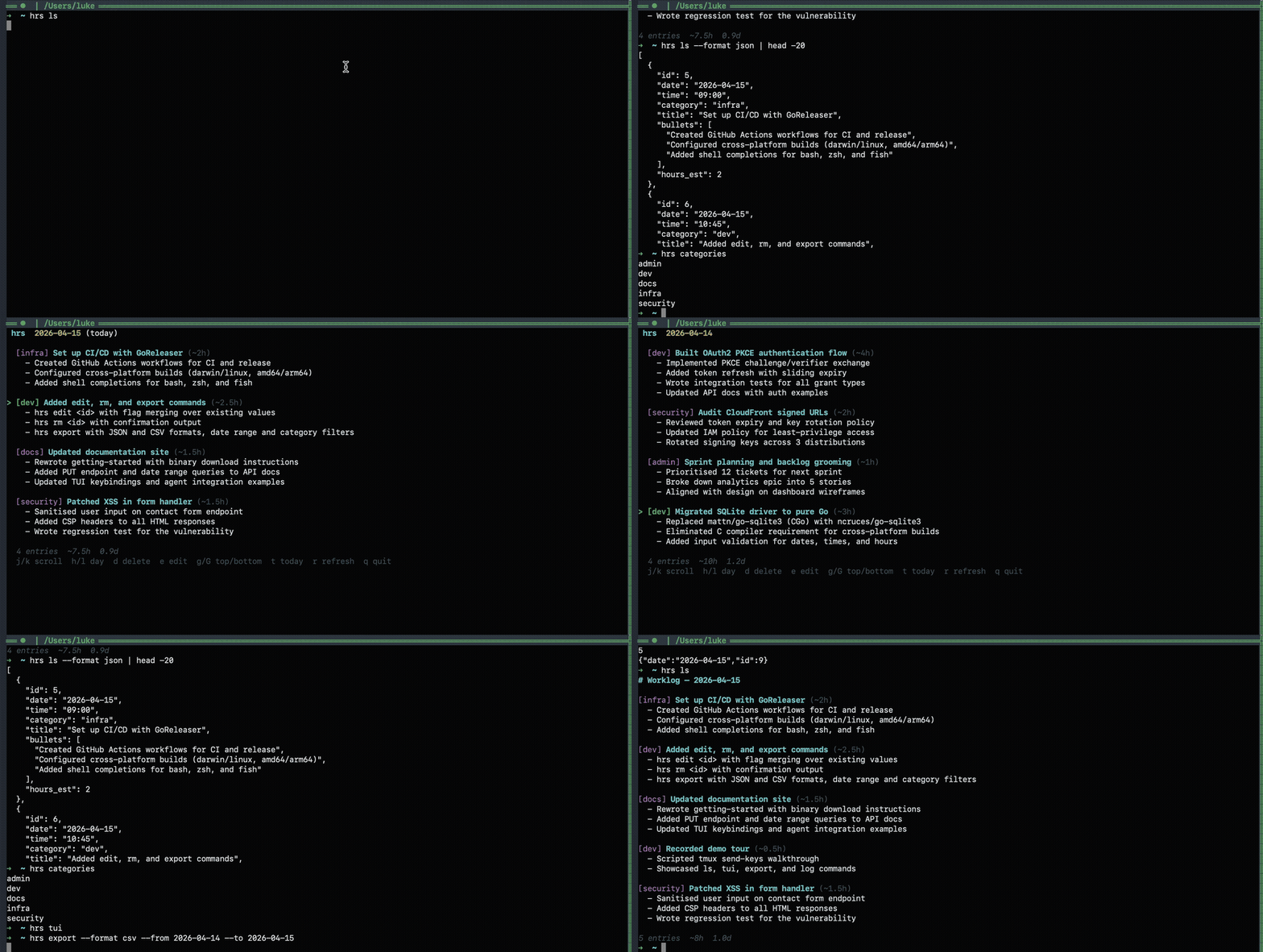
Timesheets for your agent. A CLI backed by SQLite that any AI agent can call to log work.
You run a dozen AI agents across different repos. At 5pm you have no idea what happened today. Each agent is sandboxed to its own working directory and can't write to a shared worklog.
hrs is a CLI that any agent can call to log structured work entries. You get a SQLite database, markdown files on disk, and a TUI to see what got done.
Pure Go, no CGo. Download a prebuilt binary or go install. DB auto-creates at ~/.hrs/hrs.db.
hrs log works from any directory. Tell your agent to call it and you're done. No daemon, no config.
Every entry lands in SQLite and renders to daily markdown files. Human-readable, git-friendly, grep-able.
Vim-style TUI to browse entries by day. Scroll with j/k, switch days with h/l, delete with d. All in your terminal.
Filter by date range and category. Export as JSON or CSV. Pipe hrs ls --format json into anything.
Set daily goals, link them to entries, and roll up into strategic objectives. Track progress with hrs strategy report.
Run hrs serve for agents that can't shell out, browser extensions, or webhook integrations. The CLI auto-detects it.
Run a dozen agents across a dozen repos and have each one append to a single, shared worklog. End the day with one markdown file instead of guessing what got done.
Tag the goal or strategy for any experimental work with its tracker ticket (--ticket PROMO-150). At claim time, hrs export --ticket PROMO --format csv spits out every linked entry across the year — defensible hours for an R&D submission with no manual tally.
Goals and strategies accept any ticket format — GitHub Projects/Issues, Jira, Linear, or your own internal tracker. Filter by prefix to pull billable hours per project, time spent per epic, or all work tied to a specific issue.
Roll up entries through goals into strategies. hrs strategy 1 shows total hours, completed goals, and the linked entries — useful for sprint reviews, internal reporting, or weekly check-ins with your team lead.
# Download a binary (easiest)
# → darwin_arm64, darwin_amd64, linux_amd64, linux_arm64

# or via Go (needs $(go env GOPATH)/bin on your PATH)
go install github.com/heuwels/hrs@latest# Log from any agent or terminal
hrs log -c dev -t "built auth flow" -b "oauth2 pkce;token refresh;tests" -e 3
# See what happened today
hrs ls
# Set goals and track progress
hrs goals add "implement oauth2 pkce"
hrs goals done 1 -e 42
# Browse interactively
hrs tuiAdd to your CLAUDE.md, .cursorrules, or equivalent:
After completing significant work, log it with `hrs log`.
Run `hrs log -h` to discover the flags.

Log proactively. Don't wait to be asked.

## Goals & strategies (optional)

Before starting a task, check for active strategies and today's goals:

    hrs strategy
    hrs goals

If the current task aligns with a strategy, set a goal for it:

    hrs goals add "description of what you're about to do"

After completing work, mark the goal done and link entry IDs:

    hrs goals done <goal_id> -e <entry_id1>,<entry_id2>

Don't create strategies. Just work within existing ones.
Zero config. Data goes to ~/.hrs/hrs.db automatically. See the full docs for agent integration, goals & strategies, API reference, and all CLI commands.